Blog · Publishing
Should you sell your ebook as a PDF or a DOCX?
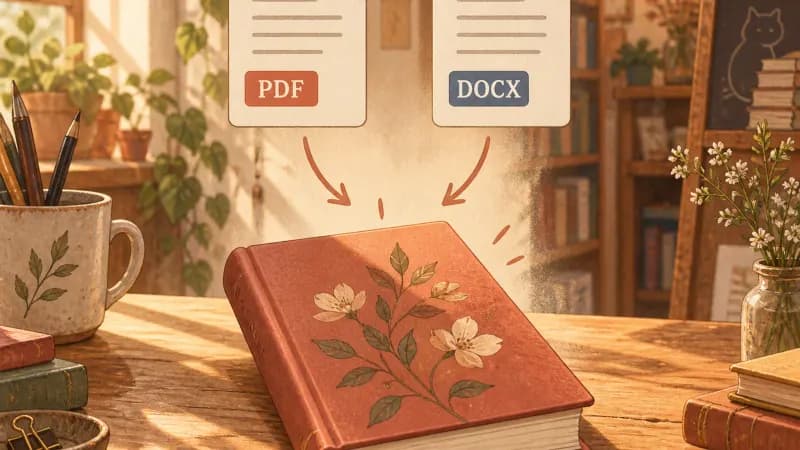
PDF preserves your design; DOCX invites editing. Which one buyers expect depends on what you are selling — explained below, both exported by our How-To Guide Generator.
EarnDraft Team · Published September 8, 2026 · Updated September 27, 2026 · 7 min read
In this post
Sell the PDF when design is the product
For guides, lead magnets, and reports, the PDF is the default buyers expect: it opens on every device, prints predictably, and preserves your cover, headings, and layout exactly as designed. Upload it to Etsy or Gumroad and delivery just works.
Keep the file tidy — compress images before export, test-print two pages, and check the file on a phone. Most buyers will first open your book on mobile, and a PDF that reads well there earns trust instantly.
Offer the DOCX when buyers want to work in it
Workbooks, templates, planners, and anything the buyer fills in or adapts want the editable file. A workbook sold as PDF-only frustrates the exact customer it was made for — offer the DOCX alongside, or as the main file.
The DOCX is also your source file: keep it as the editable original even for PDF-first products, so future editions start from text instead of from scratch.
The usual answer: bundle both
For most short ebooks the winning move is both files in one download: PDF as the polished reading copy, DOCX as the working copy. It costs you nothing extra — EarnDraft exports both from every book — and it ends the format question for every buyer type.
Say so in the listing: “Includes PDF + editable DOCX.” One line that removes the most common pre-purchase question in your inbox.
Choose the buyer file from the reading task
PDF and DOCX serve different people. A PDF is useful when the layout is part of the product: worksheets, tables, illustrated guides, printable checklists, and a fixed visual hierarchy. A DOCX is useful when the buyer is meant to edit the source: a template, client document, lesson plan, or workbook they will customize. Some readers may prefer both. Do not force an editable document into a PDF-only offer if editing is the primary job, and do not hand over an unpolished source file when the promise is a finished reading experience.
Think about the device and use setting. A reader opening a PDF on a phone needs legible type, short lines, working links, and a sensible page size; a letter-size page with tiny text may be technically readable but practically frustrating. A printable worksheet needs enough writing space and margins that survive a home printer. An editable DOCX needs real heading styles, stable tables, and instructions that do not break when the reader replaces sample text. Export both, then test them in the environment your buyer is likely to use.
The file you sell and the file you maintain need not be the same. Keeping a clean editable manuscript lets you revise prices, examples, screenshots, or sources later without reconstructing text from a PDF. Version that source deliberately and generate buyer files from it. If you provide DOCX to customers, create a separate distribution copy without private notes, comments, hidden text, or accidental track changes. A file that is easy for you to revise should also be safe and clear for the recipient.
KDP is another context: it lists accepted manuscript formats and converts uploads for Kindle reading. Its current format guidance should decide what you upload there, not a blanket rule that PDF is always best for ebooks. A direct-download storefront can deliver a PDF exactly as designed, while a reflowable Kindle book has different constraints. Preview the converted book on multiple devices before publishing. The format decision belongs to the channel and reading task, not to the extension you happen to have first.
| Reader job | Likely delivery | Must test |
|---|---|---|
| Read or print a designed guide | Mobile legibility and print margins | |
| Customize a template | DOCX | Styles, placeholders and comments |
| Read on Kindle | KDP-supported reflowable source | Conversion and device preview |
A five-part delivery check
First, open the exact file attached to the product listing rather than the version in your editor. Check title, author, edition date, contents links, page breaks, and whether the first page explains how to use it. Second, search the file for placeholder text, comments, and internal notes. Third, inspect images at the size a buyer sees, especially charts and screenshots that can become blurry after export. Fourth, test every link. Fifth, have another person download the file through the real checkout or delivery path.
Accessibility is part of file quality. Use headings in the source rather than visually bold paragraphs, add meaningful alt text where the format supports it, and keep the reading order logical. Tables should have headers that make sense when read row by row. Avoid encoding meaning only with color. A beautiful workbook that cannot be navigated or printed cleanly is unfinished. If accessibility tooling is available, run it and then manually inspect the parts it cannot judge: clarity, sequence, and whether examples actually teach.
Name the files so a buyer can recognize them months later. Include the book title and edition rather than `final-v7-new.pdf`. If you deliver both PDF and DOCX, explain which one to read and which one to edit. A small README page can prevent support questions without adding bulk to the book itself. Keep a changelog for substantive updates, and decide whether prior buyers receive new versions. Say so on the product page; uncertainty about updates can be more damaging than a modest price.
Finally, compare the listing promise with the delivered files. If the page says printable, print two pages. If it says editable, change a field and save. If it says works on mobile, open it on a phone. If it says Kindle-ready, use the store previewer. Format claims are easy to write and easy to test. The result should work without the buyer needing to ask which app, page, or attachment contains the value they paid for.
Plan revisions and accessible reading
A book about a changing topic needs an edition plan regardless of file type. Keep a source document, source links, export settings, and an edition date together. When a fee, policy, or screenshot changes, edit the source once and regenerate each buyer file. Check that the PDF and DOCX still say the same thing. If you maintain only a PDF, small updates can turn into awkward patches, and a later conversion back to editable text may damage tables and headings. A clean source is maintenance infrastructure, not an extra deliverable to forget.
For a PDF, test reading order and bookmarks as well as appearance. A tagged document with real headings is easier to navigate than a flat set of decorative text boxes. Give images useful alt text when they carry meaning and keep contrast strong enough for a printed page. If a chart uses color, label its lines or bars so the information survives grayscale printing. A visual check alone will not reveal every accessibility problem, but it catches obvious failures such as tiny labels, clipped text, and unreadable tables.
For a DOCX, use named styles consistently. Avoid using spaces to align columns or pressing Enter repeatedly to position text on a page. Test the file in at least one common editor other than the one that created it, because fonts and line breaks can shift. If buyers are meant to replace placeholders, make those instructions clear and remove private comments, author initials, and revision history from the distribution copy. An editable file should welcome editing without falling apart after the first change.
If you offer both formats, tell buyers exactly how to use them. The PDF may be the finished reading and printing edition; the DOCX may be an editable template or a source copy. Label files accordingly and avoid promising that every page will look identical across formats. The ability to edit often changes layout. The product description should distinguish content parity from visual parity so the buyer is not surprised when the editable version flows differently.
If your storefront accepts multiple attachments, check the order in which they appear to the buyer. Put the reading edition first and the editable template second, with a short note in the product description. A buyer who opens the wrong file first may assume the book is broken even when the correct version is attached beside it.
Finally, simulate the support ticket you hope never arrives. Can you locate the exact version a buyer downloaded? Can you replace it without losing the original? Do you know which pages changed and whether past buyers receive updates? A tiny edition log answers those questions. It also lets you state the file’s currency honestly on the sales page, which matters most when the ebook teaches current platform rules or prices.
Sources checked
Platform rules and prices can change. Check these primary sources before you publish or price your book.
Questions, answered
Written by the EarnDraft team — we build the tool that turns one sentence into a sellable ebook. How we write and check our guides.
Turn one idea into a finished book
Free to start · No credit card · Review before publishing